Show the finished room before it exists.
Timagine turns a 3D render and real material samples into a photorealistic image of the finished space. Interiors, exteriors, gardens.
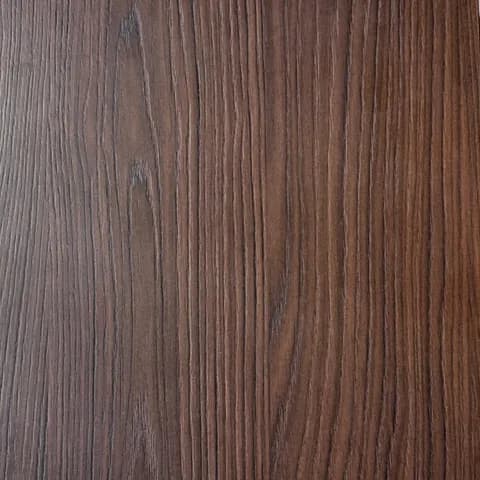
Scandinavian Fjell Oak
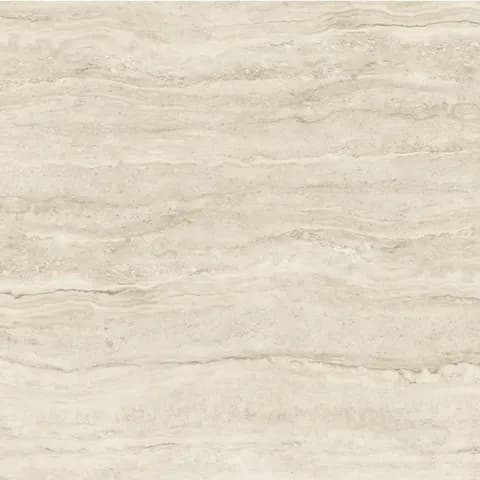
Travertino Classico

Cloudy Greige microcement

Sandy Beach paint
Four samples from a Timagine catalog, read by the product. Not necessarily the finishes shown in the photograph on the right.
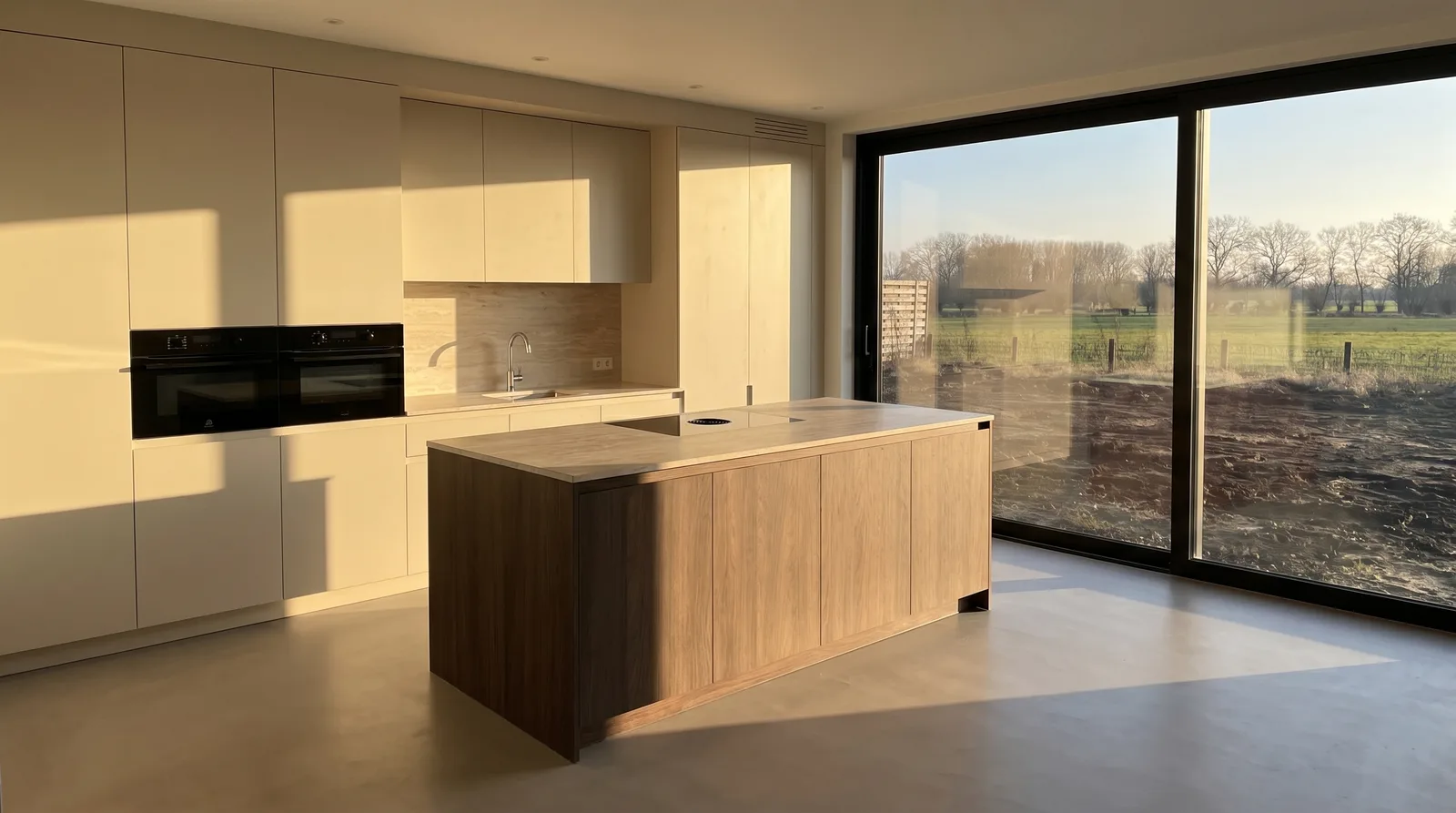
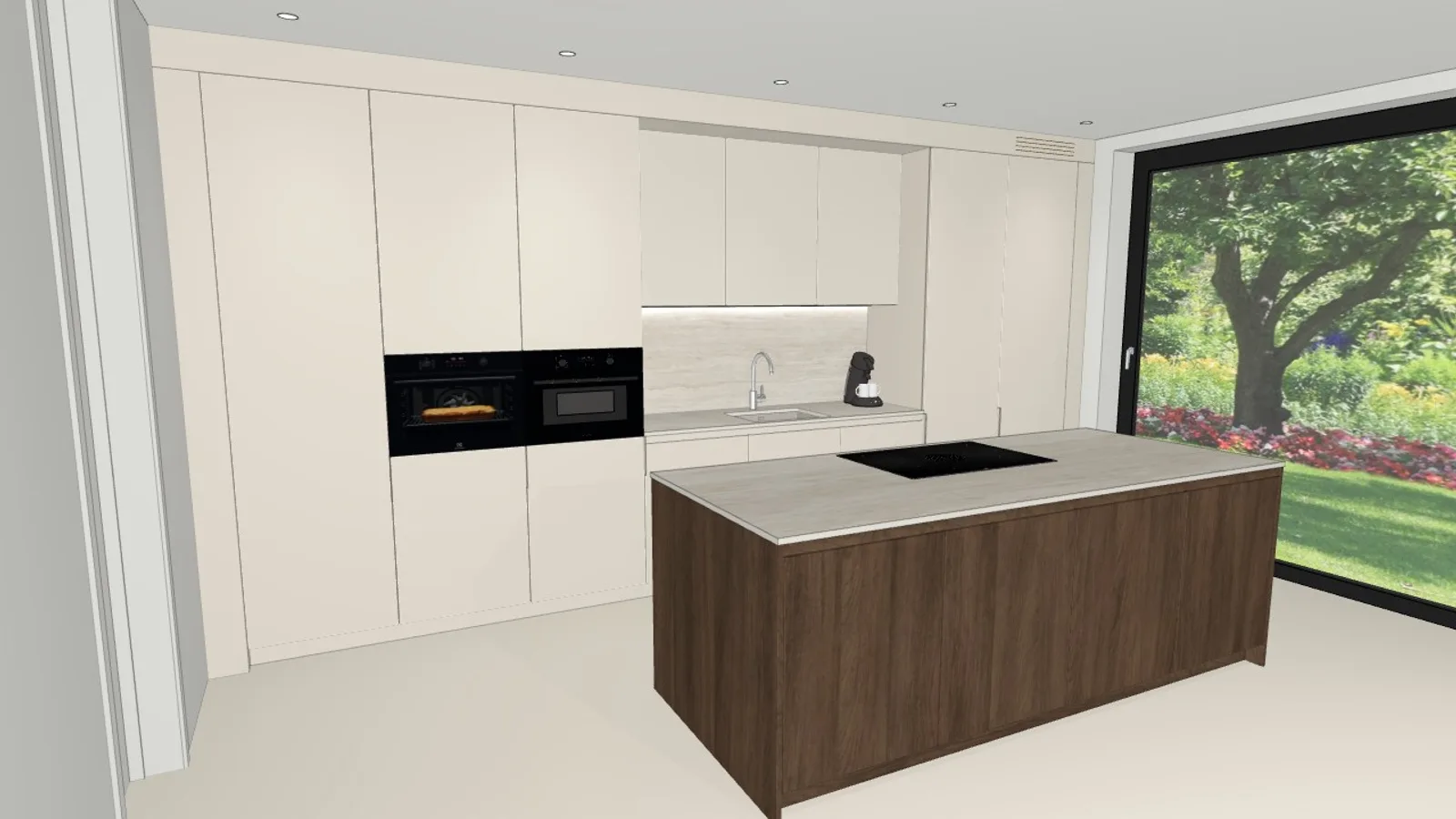
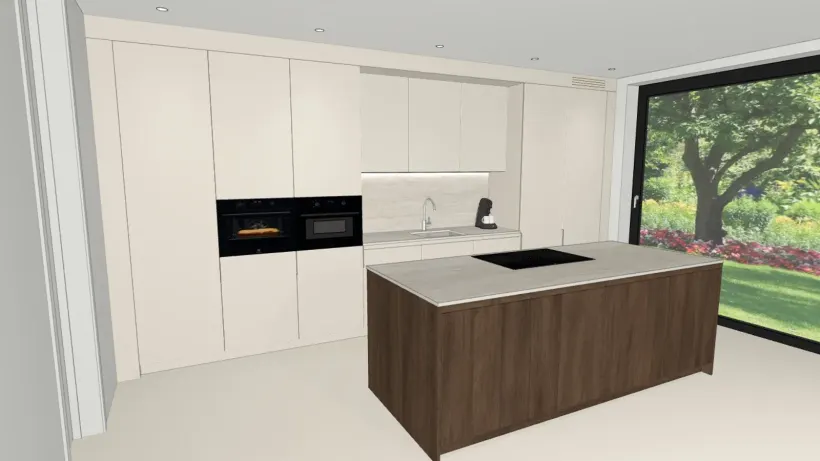
What the client used to see
What the client used to see.
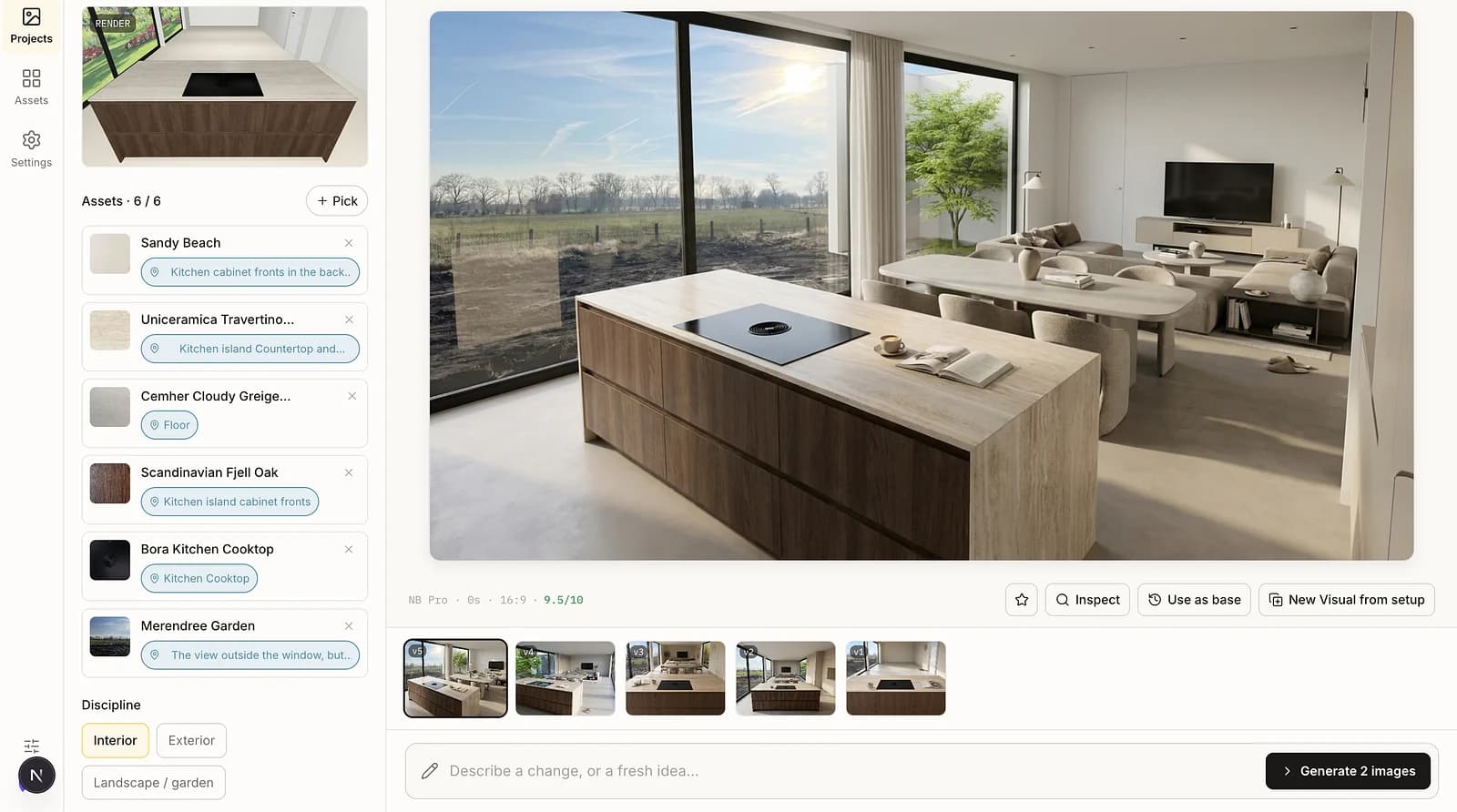
One real, unedited generation. Drag the line to compare.
It reads a sample the way a materials expert does.
The four samples from the table, with the analysis the catalog stored for each one: category, finish, colour, texture.
Scandinavian Fjell Oak
- Category
- wood
- Finish
- semi-matte
- Color
- #6E4D36
- Texture
- raised linear grain, natural variation
Travertino Classico
- Category
- stone
- Finish
- matte
- Color
- #DDC9AE
- Texture
- granular, visible natural pores
Cloudy Greige microcement
- Category
- cast floor
- Finish
- semi-matte
- Color
- #D3D1CB
- Texture
- fine grain, shallow linear marks
Sandy Beach paint
- Category
- paint
- Finish
- semi-matte
- Color
- #F0EAD6
- Texture
- smooth, uniform, no visible grain
Every photograph, directed.
One render, one set of samples, the same camera view. Only the time-of-day control changes between these four. Every generation also sets interior lights, window view, atmosphere, photo style and aspect ratio.
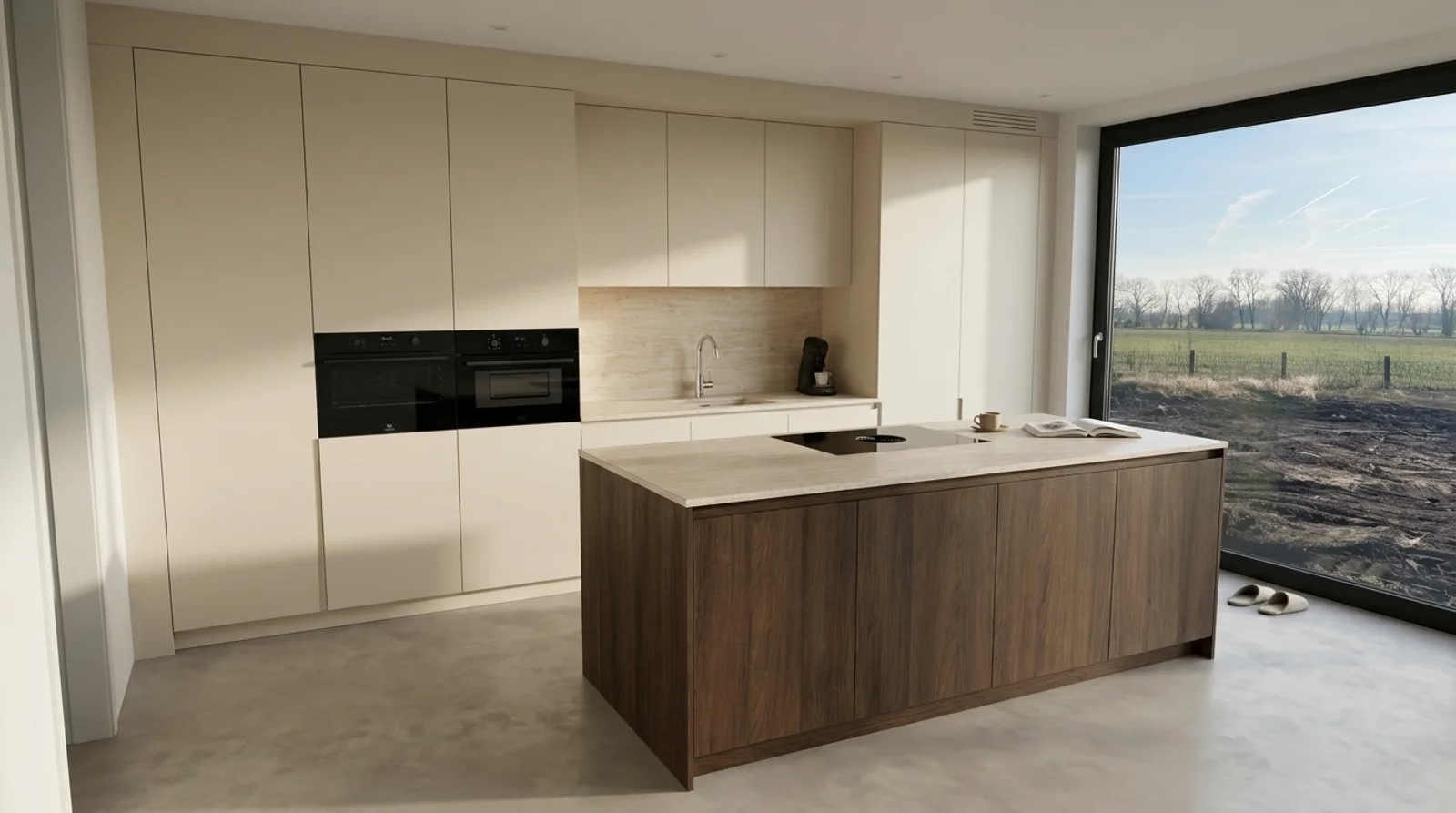
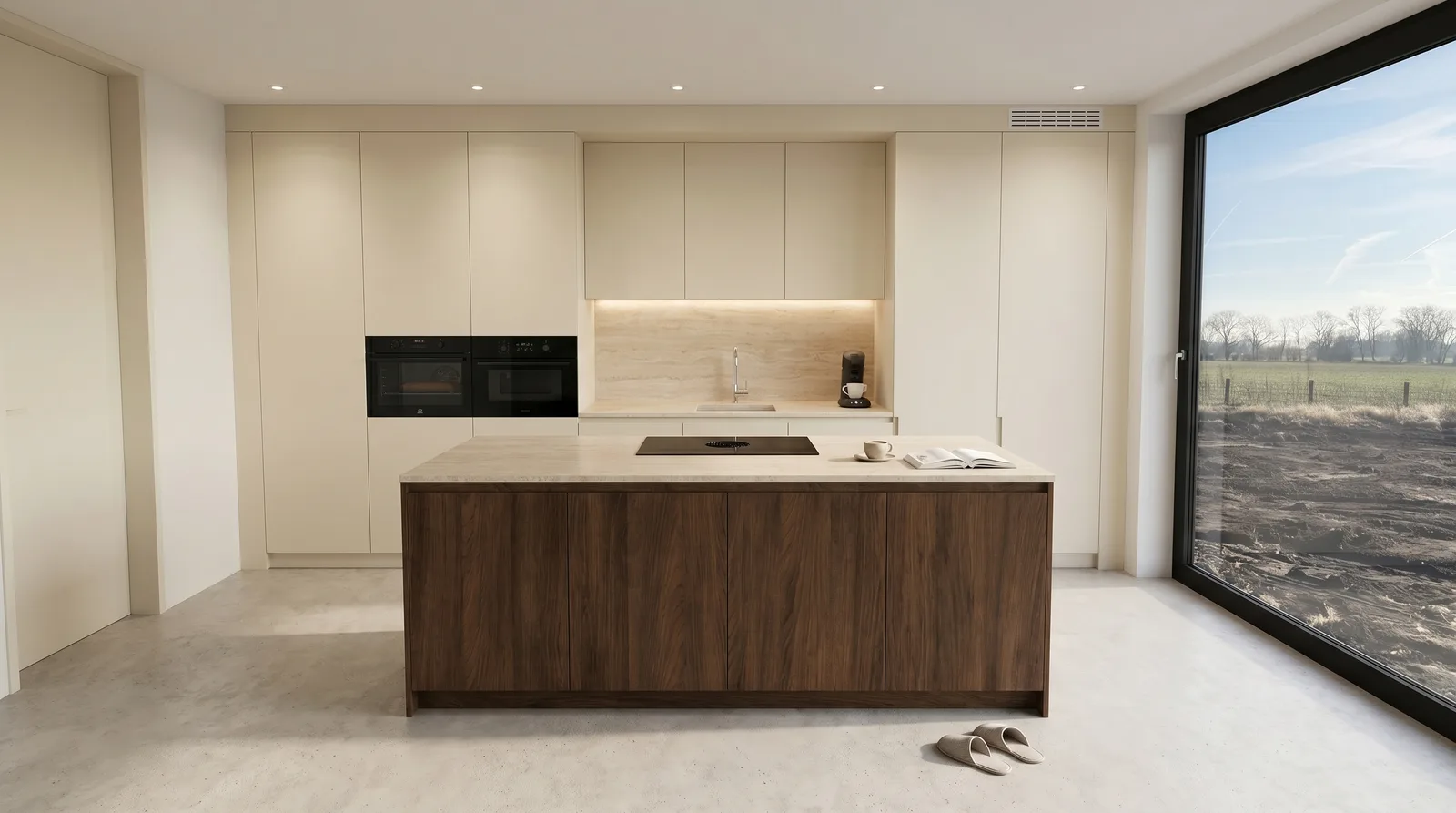
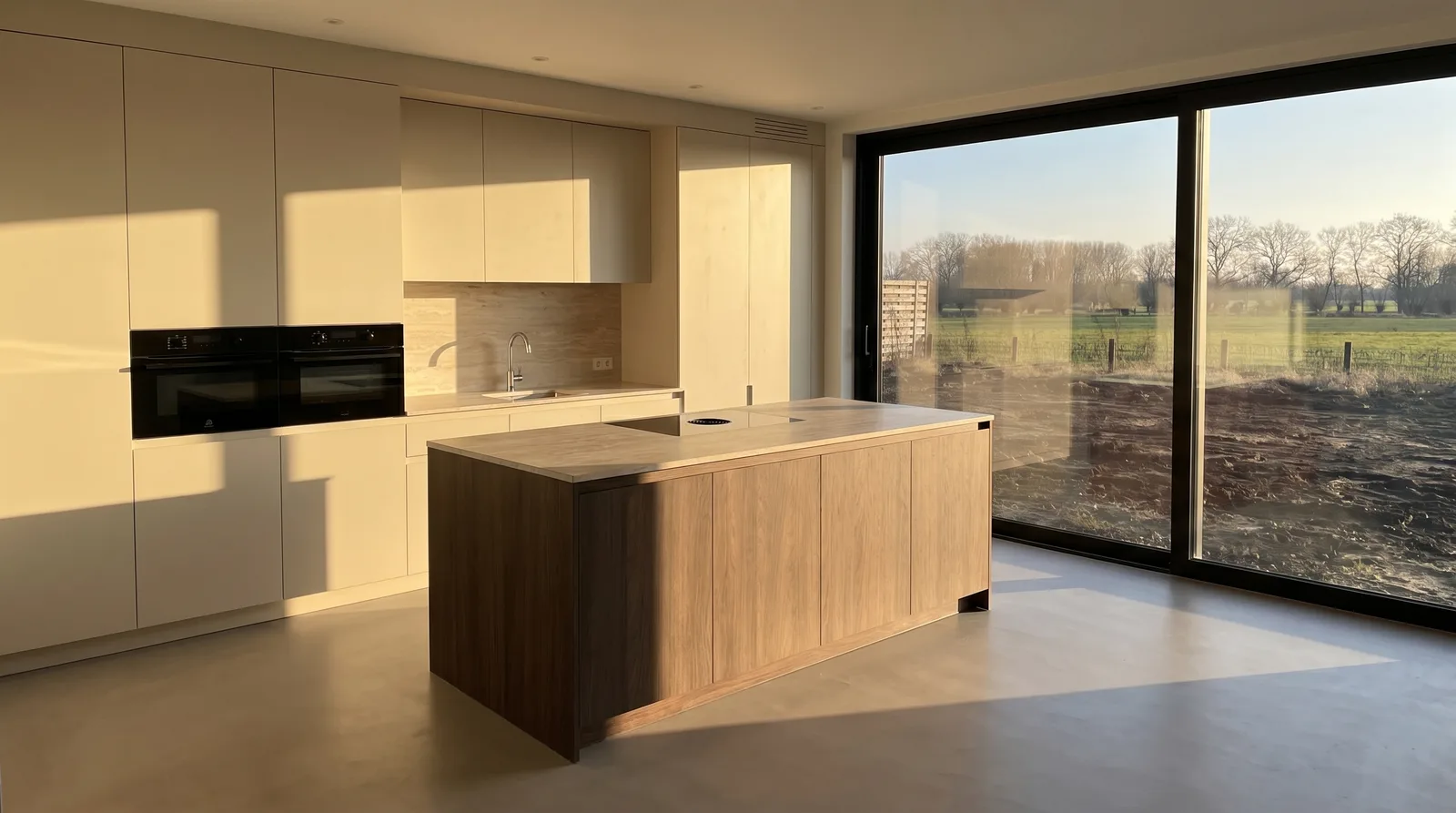
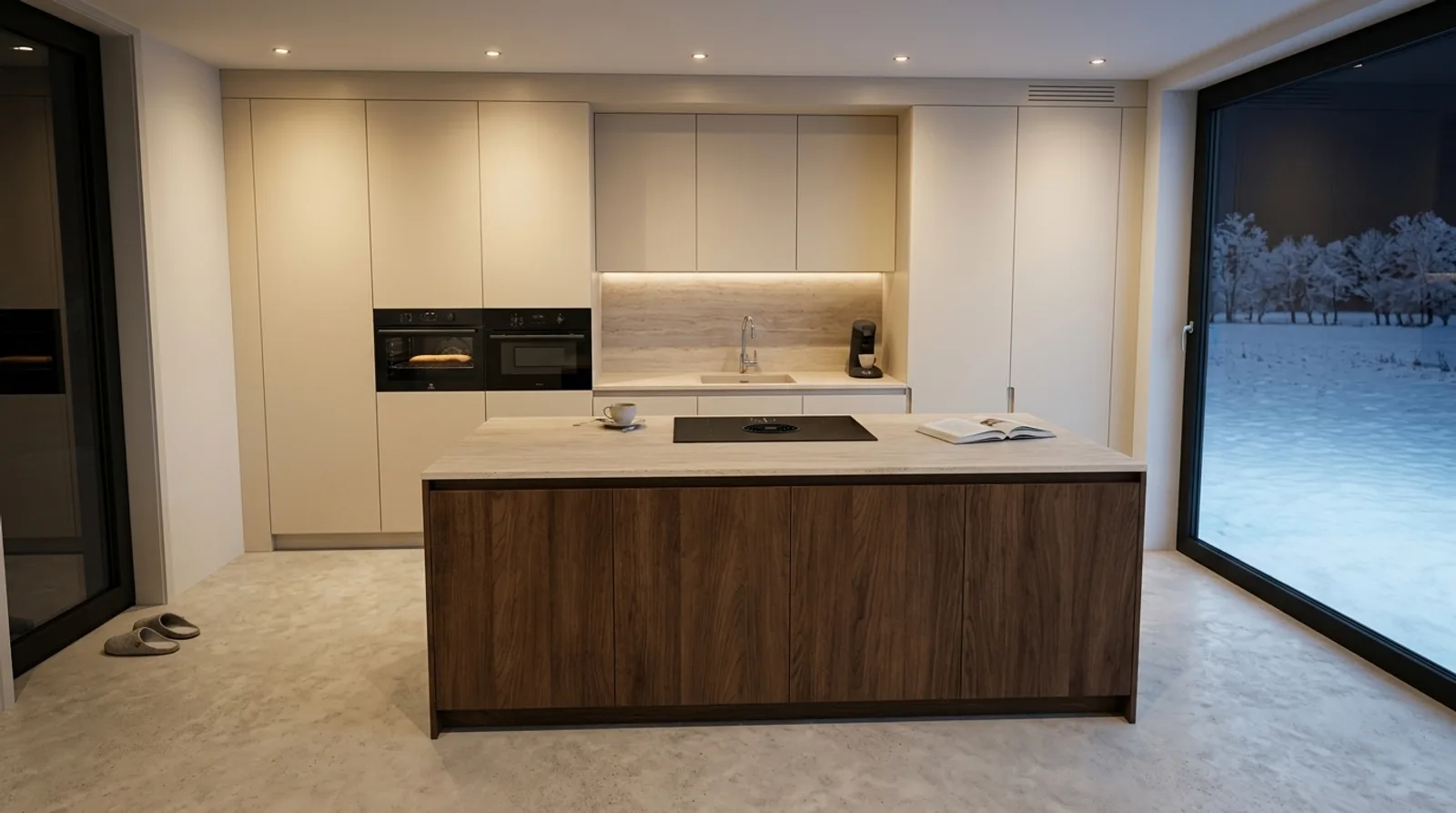
From render to photograph in three steps.
Step 1
Upload the render
Export the camera view from SketchUp, exactly as you already do. The geometry and camera stay precisely as you drew them.
Step 2
Add the real samples
Attach the finishes your client is choosing from your catalog, then set the look: time of day, lighting, atmosphere, style.
Step 3
Generate the photograph
Ready in about two to three minutes, every one checked against your render. Iterate as often as you like; failed generations are never charged.
What changes when the client can see it.
- The photograph shows the quoted finishes.
- Timagine reads your real samples and applies them to the render, so the client sees the exact materials on the table, not a lookalike.
- The geometry stays exactly as drawn.
- Layout, fixtures and camera angle come straight from your 3D render. Timagine only replaces the flat materials; nothing about the design changes.
- A photograph in about two to three minutes.
- Upload the render, attach the samples, generate. Failed generations are never charged, and the first five photographs are free.
Made for people who sell, and build, unbuilt spaces.
- Kitchen showroomsClose at the table: the chosen finishes as a finished kitchen, while the customer is still sitting there.
- Interior designersTwo directions, two photographs. Let the client pick what they can see.
- ArchitectsA photoreal image of the camera view for the client meeting, without briefing a visualizer.
- Garden designersThe planting plan as a photograph of the garden, not a drawing to decode.
- Your own buildRenovating or building yourself? See your choices in your own rooms before you commit.
One credit, one photograph.
Invite-only for now. Request access and we set up your studio.
Prefer to pay per photograph? Buy a credit pack.
Credits sit in your account until you use them.
- Cancel anytime
- Data stays in the EU
- Prices exclude VAT.
The questions designers ask first.
Will it change my design?
No. The layout, fixtures and camera angle stay exactly as drawn in your model. Timagine only replaces the flat materials with your real samples, and every output is checked against your render before you see it.
Does it only do kitchens?
No. Timagine renders interiors, exteriors and gardens. Kitchens are where it started, because that is where a grey render hurts the sale most, but the same flow works for a living room, a facade or a planting plan.
Do I need to write prompts or be technical?
No. You set the look with one-tap controls: time of day, lighting, atmosphere, style. If you want a specific change you can describe it in plain words, but you never have to learn prompt syntax.
Which 3D tools does it work with?
Any 3D tool that can export an image of the camera view, SketchUp included. Export the camera view as an image and upload it.
How do my samples get in?
Photograph them once with the iPad camera or upload a photo. Timagine reads the finish, color and texture automatically and stores the sample in your catalog, organized by the categories that show up on every job. Every account also starts with a stocked public library.
Can I use the photographs with clients and commercially?
Yes. The photographs are yours to use in quotes, presentations, listings and marketing. We label outputs as realistic approximations, never as photographs of a built room.
What does a photograph cost, and can I cancel?
One credit is one photograph. You start with five free, packs start at ten euros for twenty, and the Pro and Team plans include monthly volume. Payment is by card through Stripe, you can cancel anytime from the billing portal, and failed generations are never charged.
Is my client data private?
Each company gets an isolated workspace, with data stored in the EU. Your renders, samples and photographs are visible to your team only.